Setting up your JP Morgan Account
Energy Storage Solutions incentives payments are now issued through J.P. Morgan. Within the J.P. Morgan platform, you can choose to enroll in direct deposit and view your payment history.
Important: Direct deposit is optional. You can still log into your account to track incentives and view payment history without enabling it.
How to Create Your Account
- Look for Your Email Invitation
- Register for the Portal
- Add Your Bank Account
- Final Step: Associate the Account with Auto Pay
You’ll receive an email prompting you to create your J.P. Morgan account.
- Subject line: New Portal for Your Eversource Renewable Energy Incentive Payments
- Sender: donotreply@jpmorgan.com
If you believe you should have received an invitation but can’t find it, please contact EnergyStorageSolutions@eversource.com and request that it be resent.
Open the email, click the registration link, create a password, and log in.
Setting Up Direct Deposit (Optional)
The platform is very simple. If you’d like to enable direct deposit:
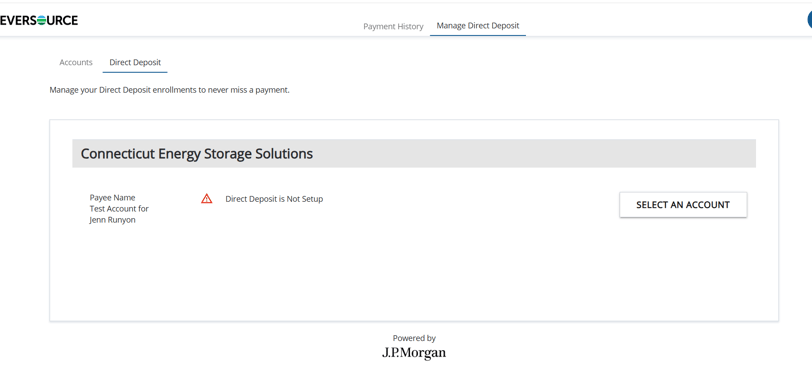
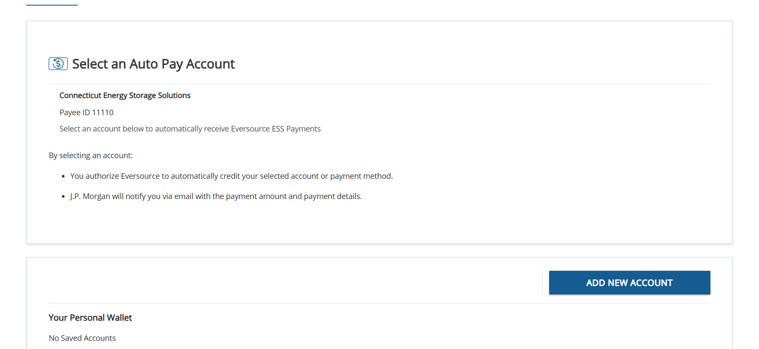
- Click “Select an Account.”
- Choose “Add New Account.”
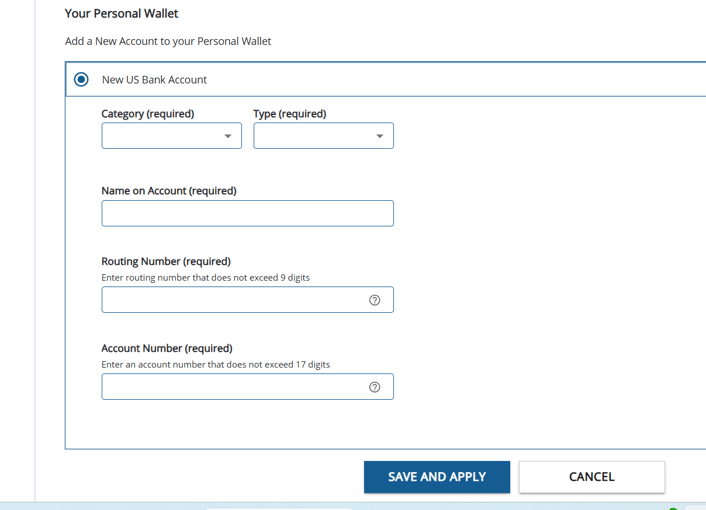
- Select “New US Bank Account”, enter your bank details, and click “Save and Apply.”
- From the home screen, click “Account”
- Select your email address from the drop down
- Check the “US Bank Account” box
- Click “Set Auto Pay”
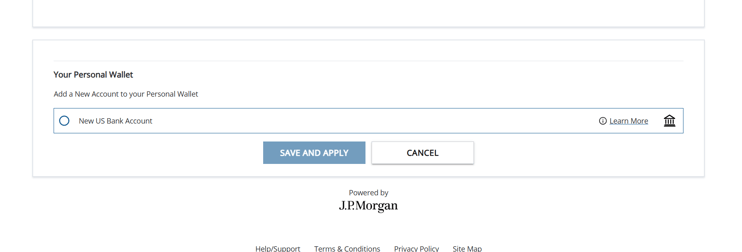
This step is required for direct deposit to work.
Once complete, future incentive payments will be deposited directly in your bank account.

FAQ
Do I need to log in every season? No. Once your account is set up, payments will be deposited Automatically.
Can I change my bank account later? Yes. Log in, add a new bank account, and then associate that new account with your email address using the same steps above.
Will I be notified when money is available in the account? Yes. J.P. Morgan sends email notifications when funds are added to your account.
I can’t log in. The system says my password is invalid. If the password field shows a series of black dots from a previous login attempt, delete them and retype your password. If that doesn’t work, please use the “Forgot password” option.
If I don’t enable direct deposit, when should I expect my check? After you receive a notification that funds are available, you have two weeks to enable direct deposit. After those two weeks pass without enablement, J.P. Morgan will issue a check and mail it to the address on file. Note: You can log into your account at any time to see whether a check has been issued.
Still have questions? Email to the Eversource Energy Storage Solution Team at: EnergyStorageSolutions@eversource.com
*Energy Efficiency customers served by Cape Light Compact are eligible for the Cape Light Compact battery program. Find out more information here: capelightcompact.org/enrollmybattery
**Please note that participation in ConnectedSolutions requires that your system perform according to what is established in your interconnection agreement. Please discuss with your battery installer if you are unsure what this entails.